
The Number Changed After You Copied It: How Restated Filings and Data-Vendor Drift Are Caught Before They Reach a Peer Table
Restated filings and quiet gaps between a data vendor and the filing can leave stale numbers in a peer table; here is how filing-sourced figures, an add-only record of every restatement, and a source switch that has to be earned keep them visible.
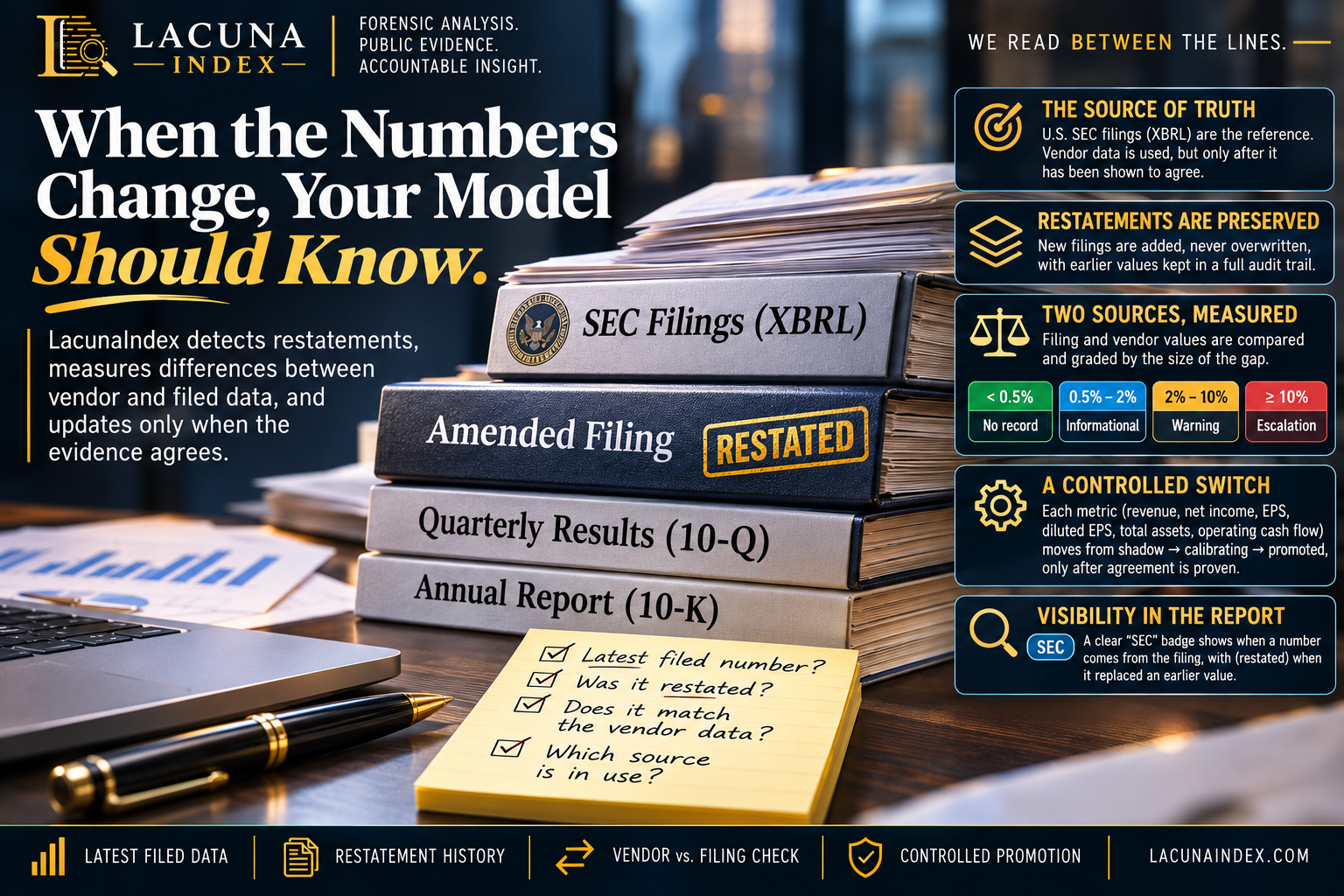
Most analysts have had this happen. You build a peer table in March and pull revenue for each company in the group. In June, one of those companies files an amended annual report. Your spreadsheet doesn't know that happened. The number in the cell still looks fine, and nothing tells you it's out of date.
There's a quieter version of the same problem. Most quarterly financials in research tools don't come straight from the filing. They come from a commercial data vendor that reads the company's machine-readable filing data and then cleans it up. The vendor rounds values, guesses which period a figure belongs to, and maps the company's own line items onto a standard set of fields. Each of those steps is usually right. When one is wrong, the vendor's number and the filed number drift apart, and nobody is told.
This post explains how LacunaIndex handles both problems: restatements, and drift between a data vendor and the filing. The short version is that the filing becomes the reference point, nothing is ever overwritten, and the vendor's numbers are only replaced after the two sources have been shown to agree.
The source of truth is the filing, not the vendor
U.S. public companies tag the numbers in their filings in a format called XBRL (eXtensible Business Reporting Language). The U.S. Securities and Exchange Commission publishes those tagged facts for each company. Every fact carries the filing it came from (its accession number), the date it was filed, the accounting concept it was tagged with, the unit, and any breakdown it belongs to, such as a business segment.
LacunaIndex's quarterly financials come from Financial Modeling Prep, a commercial data vendor. That's convenient, but the vendor is itself built on top of these same tagged filings. Our internal design notes describe each layer between us and the filing as a source of silent risk: rounding, guesses about which period a figure belongs to, and forcing a company's line items into standard fields. So we run a separate lane that reads the Securities and Exchange Commission's tagged facts directly and stores them for six headline metrics:
- revenue
- net income
- basic earnings per share
- diluted earnings per share
- total assets
- operating cash flow
Restatements are added, never overwritten
The fact store only ever adds rows. When a company restates a figure, the new filing adds new rows, and the original rows stay where they are. Each filing can only be loaded once, so loading the same filing again can't create duplicates.
To answer "what was this company's revenue for the quarter ending on a given date," the system reads every stored fact for that company, metric and period, newest filing first, and takes the first one that has a value. Two details here matter to an analyst.
The choice is made fact by fact, not filing by filing. Amended annual reports often restate only some items. If an amendment restates revenue but doesn't repeat net income, the system returns the amended revenue and the original net income. A rule that took "the latest filing" as a single unit would either lose net income or keep stale revenue.
Segment slices are excluded. Many companies tag the same metric twice: once for the whole company and once for each business segment. When the system looks up a headline figure, it skips any fact tagged to a segment or other breakdown. That keeps a segment's revenue from showing up as the company's total.
When the chosen value replaced an earlier filed value for the same metric and period, the result is marked as restated. For every value it returns, the system also keeps the accession number, the accounting concept, the accounting standard (U.S. Generally Accepted Accounting Principles or International Financial Reporting Standards) and a link to the filing.
You can see where each number came from
In the issuer report's quarterly financials table, any cell whose value came from the filing data gets a small "SEC" badge. Hover over it to see the accounting standard and the exact concept the value came from. If the value was restated, the hover text says "(restated)." Cells without the badge still come from the vendor. The table's footnote says so in plain terms.
The restatement history also feeds into peer comparisons. When a peer group is checked for comparability, the system looks at whether any peer has more than one filing for the period being compared. If one does, it adds a restatement note naming those peers. The note says the latest filed value is used and that earlier values are kept in the audit trail. This is informational. It doesn't block the comparison. It's there so you know which rows in the group have a history behind them.
The comparability check raises one more flag that matters for anyone pulling figures over time. The mapping from accounting concepts to our standard metrics has a version number. Every stored fact is stamped with the version in force when it was loaded, and old facts are never re-stamped when the mapping changes. If peers in the same comparison were loaded under different versions, you'll see a note saying a mapping change between loads may have affected which concept was chosen. To re-map old facts, someone has to run a deliberate, audited backfill. A quiet rewrite isn't possible.
Disagreements between sources are measured, assigned and graded
Running two lanes is only useful if someone compares them. A scheduled sweep does that. For each company, quarter and metric where both a cached vendor value and a filing value exist, it measures the percentage gap and grades it:
| Gap between vendor and filing | Grade |
|---|---|
| Under 0.5% | Not recorded |
| 0.5% to under 2% | Informational |
| 2% to under 10% | Warning |
| 10% or more | Escalation |
Each gap at or above the informational level becomes a divergence record. The database won't accept one without an owner: a rule fills in the assignee automatically, rotating through reviewers, so no record can sit unowned. The sweep doesn't reopen records a reviewer has already closed, so their decision stands. It also only compares values already in the cache and doesn't call the vendor itself.
Switching sources is earned per metric, and can be undone
The filing lane doesn't take over just because it exists. Each of the six metrics moves through its own states: shadow, then calibrating, then promoted, with held as a stop.
- In shadow and calibrating, the vendor's figure is still what you see. The filing value is compared in the background.
- A metric moves from shadow to calibrating once it has at least 100 recorded comparisons in a rolling 30-day window.
- It's promoted only after at least 7 days of calibrating with escalation-grade gaps at or below 0.5% of samples and warning-grade or worse gaps at or below 5%.
- A promoted metric is automatically moved to held if escalation-grade gaps climb back above that limit. Once a metric is held, it stays there until an administrator clears it on purpose.
Only after a metric is promoted does the filing value replace the vendor value in the quarterly table and the "SEC" badge appear on that cell. If no filing value exists for a given quarter, for example a foreign company that doesn't file under U.S. Generally Accepted Accounting Principles, the vendor value stays and the cell's source is recorded as the vendor.
One caveat about the calibration math. Gaps under 0.5% don't create a divergence record, so the evaluator counts only the gaps it can see. That makes the error rates it computes look higher than they really are, which makes promotion harder. That's the safe direction for this gate to lean, but it's an approximation, not an exact count.
What this changes in your workflow
- A badge-free cell is a vendor figure. If a number will carry weight in your memo, check the filing yourself. The tool tells you which figures it has already tied to the filing.
- "(restated)" is a prompt to look backward. If a peer's figure was restated, check whether your prior models or a prior committee memo used the original.
- Restatement notes on a peer group tell you where history lives. They don't make the comparison invalid. They tell you which peers to look at more closely before you defend a ranking.
- Promotion is per metric, not all at once. Revenue can be tied to the filing while operating cash flow is still in calibration. Read the badges cell by cell.
None of this will catch a restatement before it's filed. What it does is make sure the number in front of you is the latest one the company filed, that the earlier versions are still on record, and that a switch from vendor data to filing data had to be proven first.